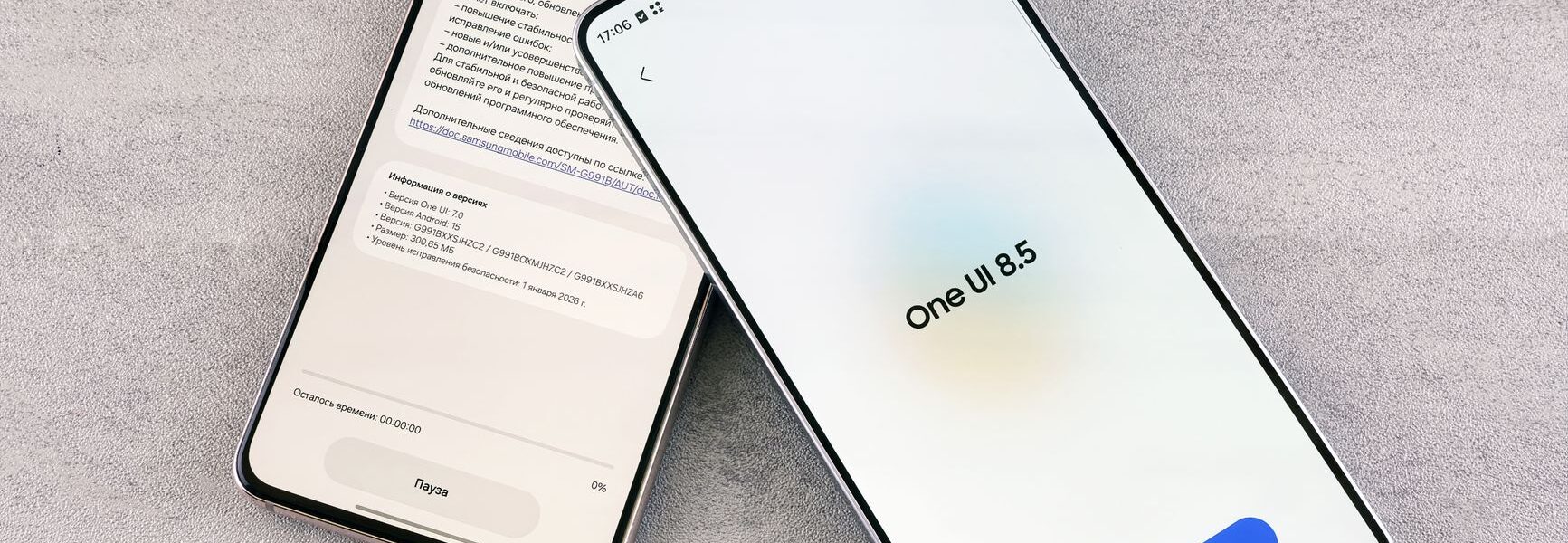

The One UI 9.0 update is now available for the Galaxy S26 series, bringing a host of exciting features and improvements. Samsung continues to enhance user experience with this stable release.
Overview of One UI 9.0
The recent release of the One UI 9.0 update marks a significant advancement for Samsung’s Galaxy S26 series. This latest version introduces various enhancements that not only improve user experience but also refine device performance. Users can expect a more streamlined interface that emphasizes ease of use and accessibility.
One of the standout features of the One UI 9.0 update is its enhanced multitasking capabilities. The new split-screen functionality allows users to run multiple applications simultaneously, making it perfect for productivity. Additionally, the update brings improved notifications management, enabling users to prioritize alerts more effectively.
Another noteworthy addition is the customization options, allowing users to personalize their devices further. With new themes, wallpapers, and icon packs, users can create a unique aesthetic that reflects their style. Furthermore, enhanced privacy settings offer better control over app permissions, ensuring a safer user experience.
Overall, the One UI 9.0 update is a testament to Samsung’s commitment to delivering innovative features while addressing user feedback, making it a highly anticipated upgrade for Galaxy S26 users.
Key Features of the Update
The recent One UI 9.0 update brings several exciting enhancements to the Samsung Galaxy S26 series, aimed at improving user experience and performance. Here are some of the key features that stand out:
- Enhanced Customization: Users can now personalize their home screens with new widgets and themes, allowing for a tailored look that reflects individual styles.
- Improved Multitasking: The update introduces advanced split-screen functionality, making it easier to run multiple apps simultaneously and boost productivity.
- Updated Camera Features: A new photography mode has been added, offering enhanced night photography capabilities and improved AI scene recognition.
- Performance Optimizations: One UI 9.0 includes under-the-hood enhancements that improve overall system stability and app launch speeds.
- Privacy Controls: Samsung has implemented more robust privacy features, giving users enhanced control over their data and app permissions.
These updates not only enhance functionality but also contribute to a more intuitive user experience, making the One UI 9.0 update a significant release for Samsung users.
How to Install One UI 9.0
Installing the One UI 9.0 update on your device is a straightforward process. To ensure a smooth installation, follow these simple steps:
- Check Compatibility: Before starting, confirm that your Galaxy device is eligible for the One UI 9.0 update. This update is initially rolling out for the Galaxy S26 series, so ensure your model is included.
- Backup Your Data: It’s always wise to back up your important data to prevent any potential loss during the update process.
- Connect to Wi-Fi: Make sure your device is connected to a stable Wi-Fi network to avoid using mobile data during the download.
- Access Settings: Navigate to the Settings app on your device, scroll down, and tap on Software Update.
- Download and Install: Select Download and Install to check for the latest software. If the One UI 9.0 update is available, follow the on-screen instructions to complete the installation.
After installation, enjoy exploring all the new features that One UI 9.0 has to offer!
User Reactions and Feedback
As the One UI 9.0 update begins rolling out for the Galaxy S26 series, user reactions have been pouring in from various online platforms. Many users are expressing excitement about the new features and enhancements that come with this latest release.
Feedback highlights several standout elements:
- Improved Performance: Users have noted a significant boost in speed and responsiveness, making their devices feel more fluid.
- Visual Design: The updated interface has received praise for its modern aesthetic and easier navigation.
- Customization Options: Many appreciate the expanded personalization features, allowing for a more tailored user experience.
- Battery Efficiency: Reports indicate that battery life has improved, with users enjoying longer usage times between charges.
However, some users have encountered minor bugs and glitches. Samsung has acknowledged these concerns and is working on patches to ensure a smoother experience. Overall, the reception of the One UI 9.0 update has been largely positive, with many looking forward to future developments and improvements.
Comparison with Previous Versions
The One UI 9.0 update brings several enhancements that set it apart from its predecessors, making it a significant upgrade for users. One of the most noticeable improvements is the refined user interface, which offers a more streamlined and visually appealing design. Unlike One UI 8.0, the latest version emphasizes a cleaner layout and improved navigation, allowing for a more intuitive user experience.
Additionally, the performance optimization in One UI 9.0 has been a key focus. Users have reported faster app launches and smoother multitasking compared to One UI 8.0. This update also introduces advanced customization options, enabling users to tailor their devices to their preferences more than ever before.
Furthermore, while previous versions included essential features, One UI 9.0 expands on this foundation by incorporating enhanced privacy settings and new accessibility tools that were not available in earlier releases. These improvements indicate Samsung’s commitment to user feedback and its aim to provide a more personalized experience.
In summary, the One UI 9.0 update offers substantial upgrades over previous versions, making it a must-have for Galaxy S26 series users.
Future Updates for Galaxy S26
The One UI 9.0 update has set the stage for future updates, particularly for the upcoming Galaxy S26 series. Samsung plans to enhance user experience by continually refining its software and adding new functionalities. With the release of One UI 9.0, users can expect a series of incremental updates that will focus on performance improvements and feature expansions.
Samsung has outlined a roadmap that includes:
- Enhanced Security Features: Future updates will bring advanced security protocols to protect user data more effectively.
- Improved Battery Management: Users can look forward to better battery optimization tools that extend device longevity.
- UI Customization Options: Samsung aims to introduce more customizable elements to allow users to tailor their experience further.
- New Widgets and Features: Expect additional widgets and functionalities that enhance productivity and accessibility.
As Samsung continues to roll out updates for the Galaxy S26, users can stay informed through official channels to ensure they maximize their device’s potential with the latest enhancements.
Conclusion on One UI 9.0
In conclusion, the One UI 9.0 update marks a significant evolution in Samsung’s software experience, enhancing usability and introducing several innovative features that cater to user preferences. With its sleek interface and improved performance, this update aims to make everyday tasks simpler and more efficient for Galaxy S26 users.
As we have explored, the key features of One UI 9.0 not only focus on aesthetic improvements but also emphasize functionality, allowing users to enjoy a more personalized and intuitive experience. The feedback from early adopters indicates that many have welcomed the changes, particularly the enhanced customization options and new multitasking capabilities.
Looking ahead, it’s clear that Samsung is committed to refining its software offerings. The future updates promise to build on the foundation laid by One UI 9.0, ensuring that users receive ongoing enhancements and support. In a rapidly evolving tech landscape, staying updated is essential, and Samsung’s proactive approach to software development is certainly a step in the right direction.
Photo by Andrey Matveev on Pexels
Read the original
Related stories
Smart lockdown plan: Pakistan’s new work week strategy · Are AI Giants the Worst for Cybersecurity Safety Plans? · Venezuela’s Maduro ally faces Worst Proven Corruption Charges